
Your options at a glance
Social marketing explained: posts from your website
Every channel needs content, but running your business often leaves little time for copy, images and regular posts. Shopyai creates drafts from your website content and brings preparation, approval and scheduled publishing together for your connected channels.
- Drafts from your own pages
- Nothing goes out without your approval
- Send now or schedule
Put it into practice with Shopyai
1.Choose a page or topic
Under “Social marketing”, choose a published page of your website or a topic of your own, plus the channels you want a draft for.
2.Read and approve the draft
Check the text and image, change anything that doesn’t fit, and tick the box to confirm that you have read the post.
3.Send or schedule
Send the post right away or choose a date. Under “Queue & history” you can see what is scheduled and what has been sent.
Show up regularly without hunting for ideas every day
Your followers think of you when you show up regularly. But with day-to-day business to run, posts often only get written when there happens to be time.
Posting when there’s time
A few posts in a quiet week, then nothing for a long while. Every post starts with a blank page.
Drafts ready and waiting
Your pages are turned into suggestions with text and an image. You read them, make changes if needed and schedule them. You set the rhythm.
The two work together: social media keeps you in conversation with your followers, SEO brings in people who are looking for your service right now.
More about SEOYour industry. An everyday example.
Every page of your website contains something that also works as a post. Here’s what that can look like in your industry.
Restaurants
“Lunch menu” page
This could become a post
“New on the lunch menu this week” – with a photo from your kitchen and a link to the menu.
Skilled trades
“Bathroom renovation” page
This could become a post
“How we handle a bathroom renovation” – explained step by step, with a link to send an enquiry.
Lawyers & law firms
“Employment law” page
This could become a post
“Received a notice of termination? This is the deadline you should know about” – a factual note with a link to the page, without details from client matters.
Made-up examples for illustration. Your posts are created from the content of your own pages.
One page, many angles
The same page can lead to very different posts. You choose the content type, and Shopyai writes the draft.
Announcement
Briefly introduces a page or service.
Explained in steps
Explains a process from your website step by step.
Question from practice
Answers a typical customer question with the answer from your website.
Term explained
Explains a technical term in everyday language.
The costly mistake
Warns about a mistake that your website describes or helps to avoid.
Behind the scenes
A real look inside your business, with your own photo.
Out of ideas for your next post? At the click of a button, Shopyai suggests topics from your website and doesn’t repeat any combination of page and angle you have already used.
Which angles Shopyai offers depends on your industry. For regulated professions such as law firms and medical practices, there are no before-and-after posts and no case posts.
The image: from your page, your own photo or newly generated
Instagram always needs an image; on Telegram and Facebook it’s optional. You decide for each post.
Image from your page
Shopyai takes the first content image on the page, so it shows your real subject. At no extra cost.
Your own photo
Upload a photo of your own, for example from your business. It’s required for “Behind the scenes”.
- Not included in the plan
Newly generated image
An AI photo or, as a premium image, an image card in your page’s design with your logo and your colours – as in the example of Anwalt Ihsan.
Where your posts appear
You connect your channels once. After that, Shopyai sends your approved posts there.
Telegram
Available nowConnect your Telegram channel. Posts go out with or without an image.
Facebook
After Meta’s approvalFor your Facebook Page. Available to all customers once Meta has approved the integration.
Instagram
After Meta’s approvalFor Business and Creator accounts, once Meta has approved the integration. Every post needs an image.
For X, TikTok and WhatsApp, Shopyai prepares the post as well. You share it there yourself: for X and TikTok you copy the text, for WhatsApp the share window opens.
Everything in one place
Channels, posts, and the queue and history on one page. At a glance you can see what is ready, what is scheduled and what still needs your approval.
- InstagramHow we handle a bathroom renovationReady
- TelegramNew opening hours from MondayScheduled
- FacebookThree questions before a renovationAwaiting approval
In practice
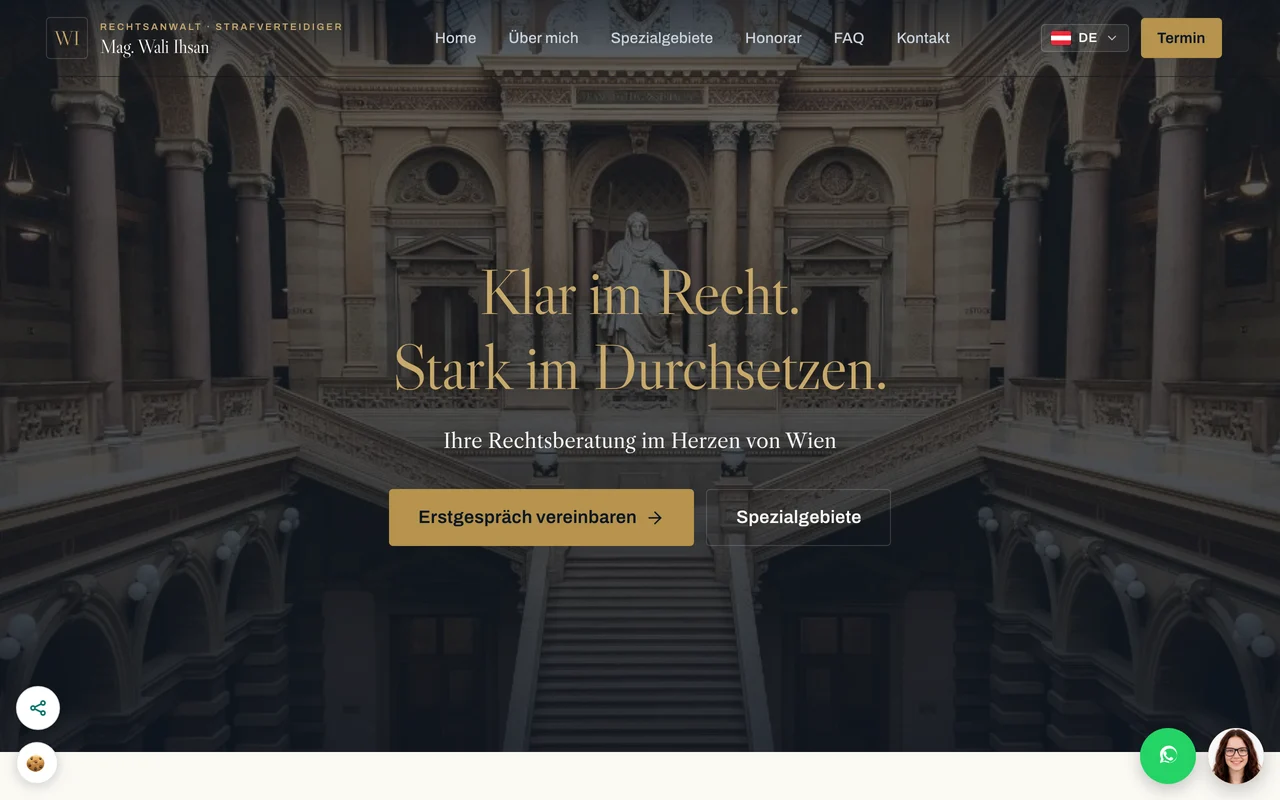
Anwalt Ihsan in Vienna
Content from ihsan.at was turned into a post with text and an image card in the law firm’s design. On September 21, 2026, it was published on Instagram through Shopyai.
Anwalt Ihsan
Published website
Anwalt Ihsan
PublishedInstagram ·
 View the original card at full size
Original post · German
Eine rechtliche Auseinandersetzung kann schnell kompliziert und überwältigend erscheinen.
Read the full post
Ich biete Ihnen klare, verständliche Rechtsberatung im Herzen von Wien an, ganz gleich, ob es um Strafrecht, Asylrecht oder Zivilrecht geht. Mit meiner langjährigen Erfahrung und persönlichem Einsatz begleite ich Sie von der ersten Beratung bis zur Durchsetzung Ihrer Rechte.
Erfahren Sie mehr über meine Dienstleistungen und wie ich Ihnen helfen kann, indem Sie den Link in meinem Profil besuchen.
The example shows a real, published post. It is not evidence of any reach or enquiries.
Frequently asked questions about social marketing
Does Shopyai publish posts without me?
No. You read and confirm every post yourself before it can be sent or scheduled. If you turn on automatic posts for newly published pages, these also wait for your approval by default.
Which channels can I connect?
You can connect Telegram today. Facebook and Instagram are available to all customers once Meta has approved the integration; Instagram needs a Business or Creator account. For X, TikTok and WhatsApp, Shopyai prepares posts that you share yourself.
What do I need?
The Pro plan or higher and a published website on your own domain. To send posts, at least one connected channel. An image from your page or your own photo costs nothing extra; newly generated images are not included in the plan.
In which languages are the posts created?
In the language of the page the post is based on. If your website has several languages, you choose the language version, and Shopyai writes the post in exactly that language.
Can I see how many people my posts reach?
No. Shopyai shows what has been scheduled and what has been sent. You can see reach, likes and comments directly in each channel.
Explore more
A website built and looked after for you
We build your website on your own domain, take care of the technology, Google and legal texts, and look after it if you wish. You approve.
More about websitesSEO for small businesses, explained simply
Reach relevant customers with SEO: choose search terms, improve pages and check the technical foundations with Shopyai.
More about SEOCustomer enquiries through your website
Contact forms, chat questions and appointment requests from your website reach you by email, or on Telegram if you like. Contact details stay encrypted.
More about customer enquiries
Let’s plan your posts
In a conversation we work out which channels suit you, which of your pages make good posts and how often you’d like to post.
Discuss social marketing for my website
From your page to a post in four steps
Shopyai prepares, you decide. No post goes out without you.
11. Choose the content
The starting point is a published page of your website or a topic of your own that you describe in a few sentences.
What Shopyai handles
Shopyai reads the page content in its language. If your website has several languages, you choose the language version, and each one gets its own post.
22. One draft per channel
Each channel you select gets its own draft, with an image if you like.
What Shopyai handles
Length, structure and link are adapted to the channel: short for Telegram, no link in the text for Instagram.
33. Read and approve
You read the draft, change anything that doesn’t fit, and confirm with a tick that you have read it and approve it.
What Shopyai handles
Without this tick, nothing can be sent or scheduled. If you change the text or image afterwards, you confirm the post again.
44. Send or schedule
Send the post right away or choose a date.
What Shopyai handles
At the chosen time, Shopyai sends the post to your connected channel. The queue and history show what is scheduled and what has been sent.