
Your options at a glance
SXO explained: from a visit to an enquiry
SXO means Search Experience Optimization. It connects finding your website with what happens next: Does the visitor understand your offer? Does the page work on a phone? Is the next step clear? Shopyai helps you check and improve these paths.
- Clear content
- Usable on a phone
- Easy to contact
Put it into practice with Shopyai
1.Define the visitor path
Choose an important service and a clear goal, such as requesting a viewing or discussing transport. Adjust the text and button in the website editor.
2.Check it on a phone
Use the device preview. Check readability, contact paths and available Web Vitals data. Publish only the changes you have reviewed.
3.Review incoming enquiries
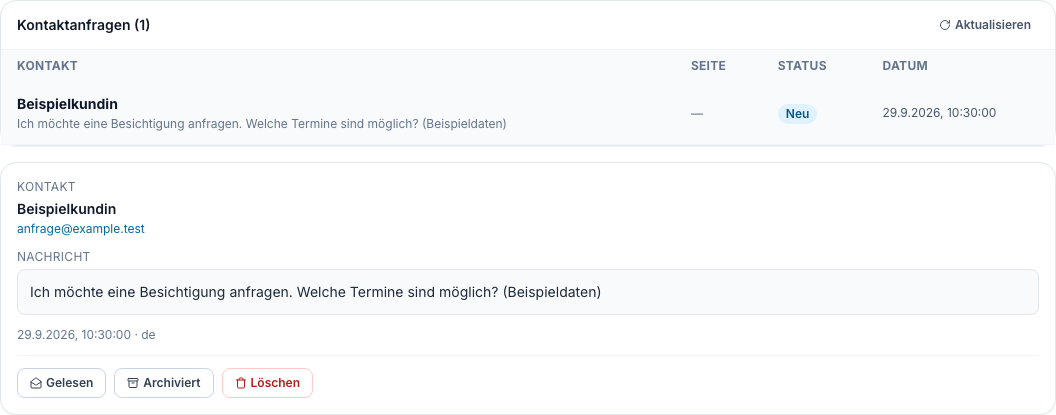
Compare Website Analytics with the Contact Enquiries inbox where available. Check emails and phone contacts too. Then address the next obstacle.
Open product view
The click is only the beginning
Someone finds your offer. Now your website needs to answer: Am I in the right place, and what happens next?
“Where do I click?”
A large picture, little explanation and several similar buttons. Text is small on a phone. The contact option is hidden far down the page.
“That fits. I’ll enquire.”
The service and area covered are immediately clear. Text is readable. A clearly named button leads to the relevant contact option, such as Request a Viewing.
Three things make the next step easier
SXO covers content, usability and contact. Shopyai provides practical tools; you review and publish the changes yourself.
1.Readable on a phone
Visitors should understand your service without zooming. Clear headings, short paragraphs and easy-to-reach buttons help them find their way.
How Shopyai helps
The HTML website editor’s device preview offers Desktop, Tablet and Mobile. Also check the published page on a real phone afterwards.
2.Load, respond, stay stable
Content should appear promptly, buttons should respond and elements should not keep shifting while loading. Speed is one part of a good experience.
How Shopyai helps
Web Vitals shows available visitor measurements. PageSpeed Insights provides additional analysis when enabled. Measurements are diagnostic information, not automatic repairs.
3.Make the contact path work
Explain what happens after a click. Ask only for necessary information in forms. Label fields clearly and provide a clear success or error message.
How Shopyai helps
Contact Enquiries shows submissions from supported website contact forms. You can read and archive them. External forms and phone calls are not automatically captured there.
Visits, clicks and enquiries are different things
Look at the whole path. A frequently clicked button alone does not show whether relevant customers reach you.
Someone visited the page
Website Analytics shows recorded page views for supported HTML websites. Compare the same page over periods of equal length.
Someone clicked the contact button
A CTA click indicates interest. Opening an email draft does not mean that a message was sent.
An enquiry arrived
Check the Contact Enquiries inbox and your other channels. Whether the enquiry fits your offer and receives a reply also matters.
Measurement depends on configuration, consent and available data. A few visits are not enough for a reliable conclusion. Change one thing deliberately and check again afterwards.
A clear website makes the next step easier. It guarantees neither more enquiries nor a better Google ranking. Your offer, audience and availability also matter.
In practice
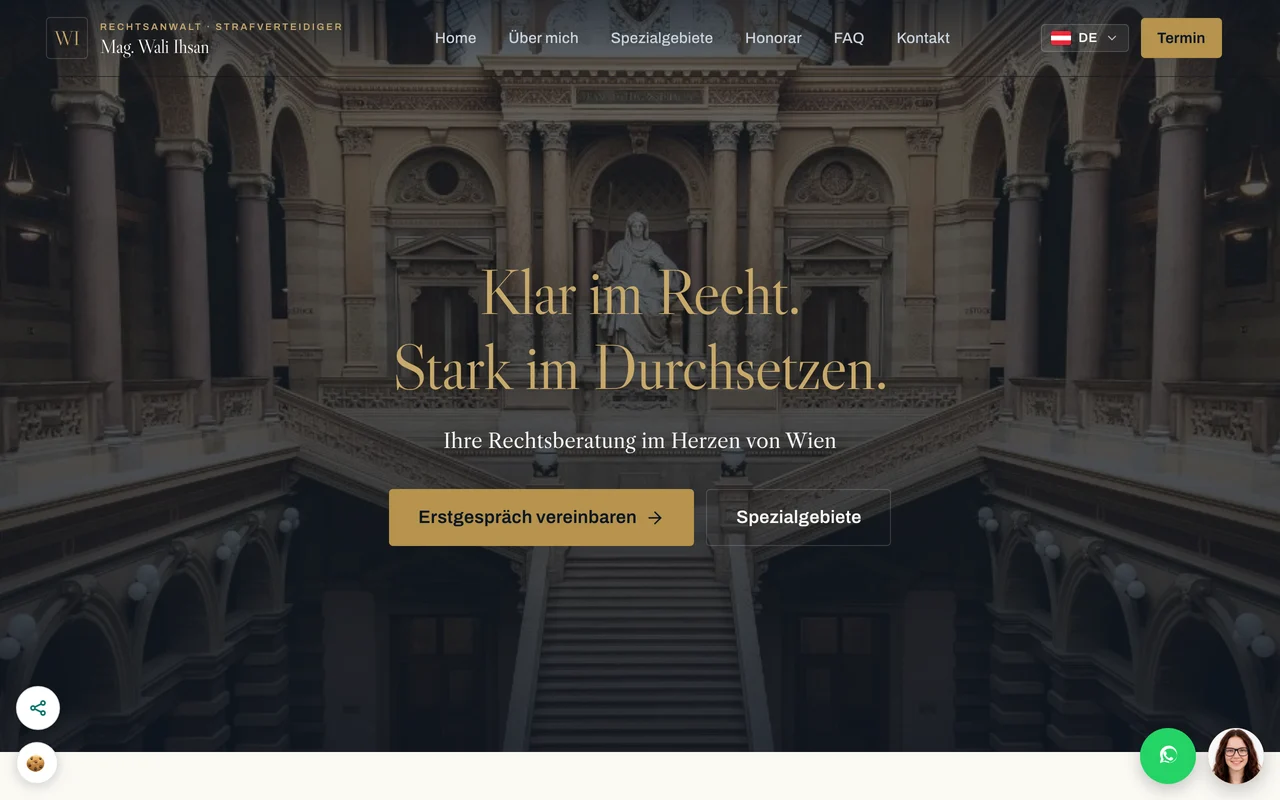
Ihsan law firm in Vienna
Ihsan law firm names its services and immediately offers a way to arrange an initial consultation. FAQs, languages and contact options help visitors take the next step. This demonstrates a clear contact path, not a proven enquiry rate.
Visit the law firm’s websiteThis example shows the website implementation. It does not demonstrate any particular Google ranking or AI mention.
Common questions about SXO
What is the difference between SEO and SXO?
SEO helps people find relevant content through search engines. SXO also considers the path on the website: understanding it, using it and taking the next step. The two work together.
Do I need a new website?
Existing pages can often be improved with clearer text, a clear contact button or a shorter form. Assess which change helps by looking at your offer and the actual visitor path.
Does a fast website automatically bring more enquiries?
No. Speed helps usability but cannot replace a relevant offer and clear content. Good Core Web Vitals do not guarantee a top Google ranking either.
Can Shopyai prove the results for me?
Shopyai shows available visit and contact data on supported websites. Clicks, enquiries actually received and their quality need to be assessed separately. Without enough data, an improvement cannot be established reliably.
Modern search: from SEO to SXO
Search engines, direct answers and AI search belong together. Explore the five areas and find practical steps for your website.
SEO for small businesses, explained simply
Reach relevant customers with SEO: choose search terms, improve pages and check the technical foundations with Shopyai.
More about SEOAEO explained: answering customer questions
Answer customer questions clearly and use Shopyai for visible FAQs and matching structured data.
More about AEOGEO optimization, simply explained
GEO optimization prepares your website so AI answers can use it as a source. What it is, what you can do and what nobody can promise.
More about GEOAIO explained: making your business recognizable
Consistent business details, real people and relevant profiles: how Shopyai supports a verifiable online presence.
More about AIO
Give visitors a clear next step
We can discuss where visitors get stuck on your website and which content, views or contact paths you can improve.
Discuss SXO for my website